
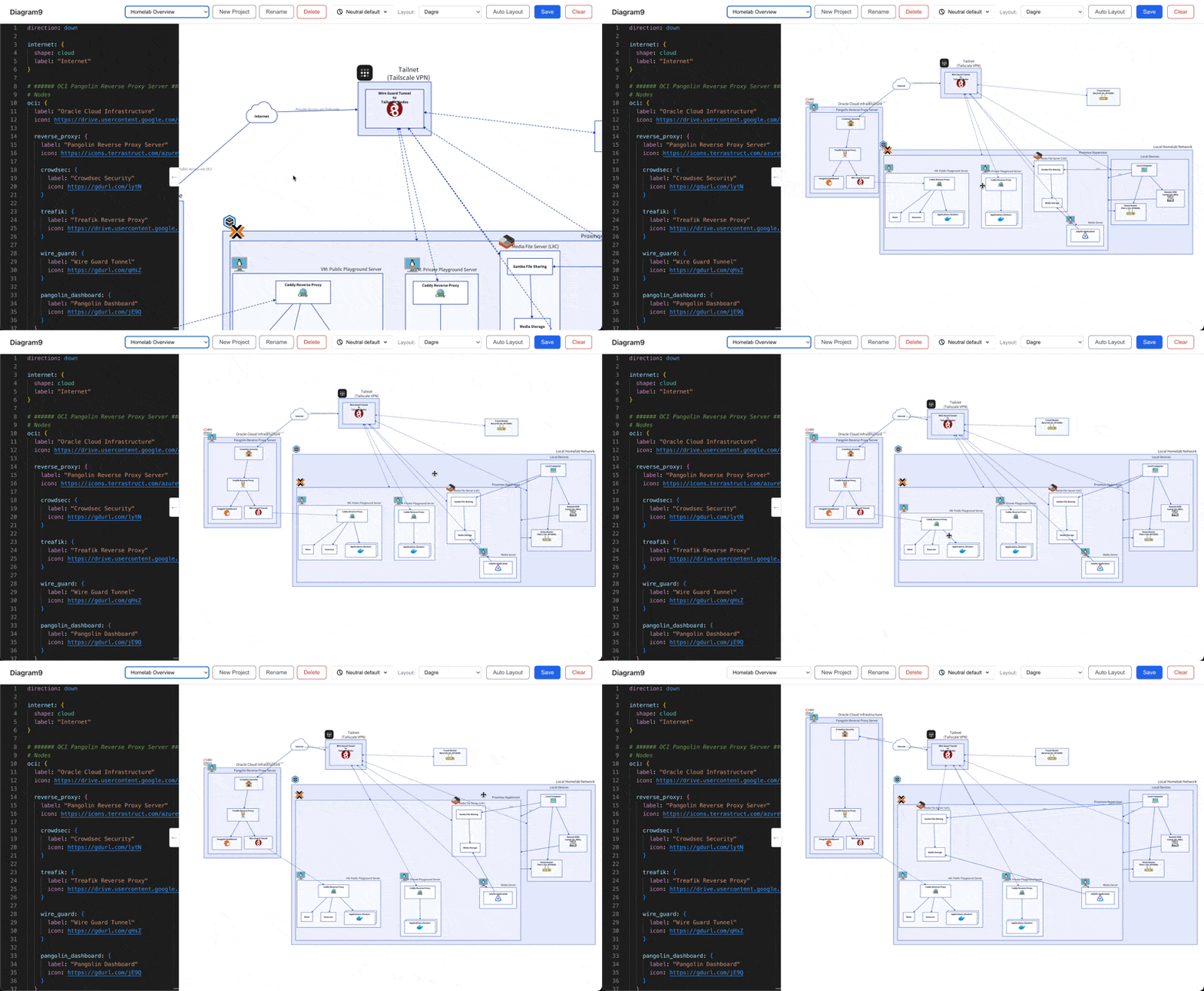
Overview
Diagram9 v3 explores a “hybrid” approach to diagramming. While “Diagram as Code” tools like D2 are excellent for version control and consistency, they often lack the intuitive feel of manual layout tools. Conversely, manual tools like Excalidraw are great for brainstorming but hard to diff or version.
This project bridges that gap by allowing users to define their diagram structure using D2 code while simultaneously enabling manual drag-and-drop positioning of nodes. The manual adjustments are saved separately from the code, preserving the best of both worlds.
Screenshots / Demo
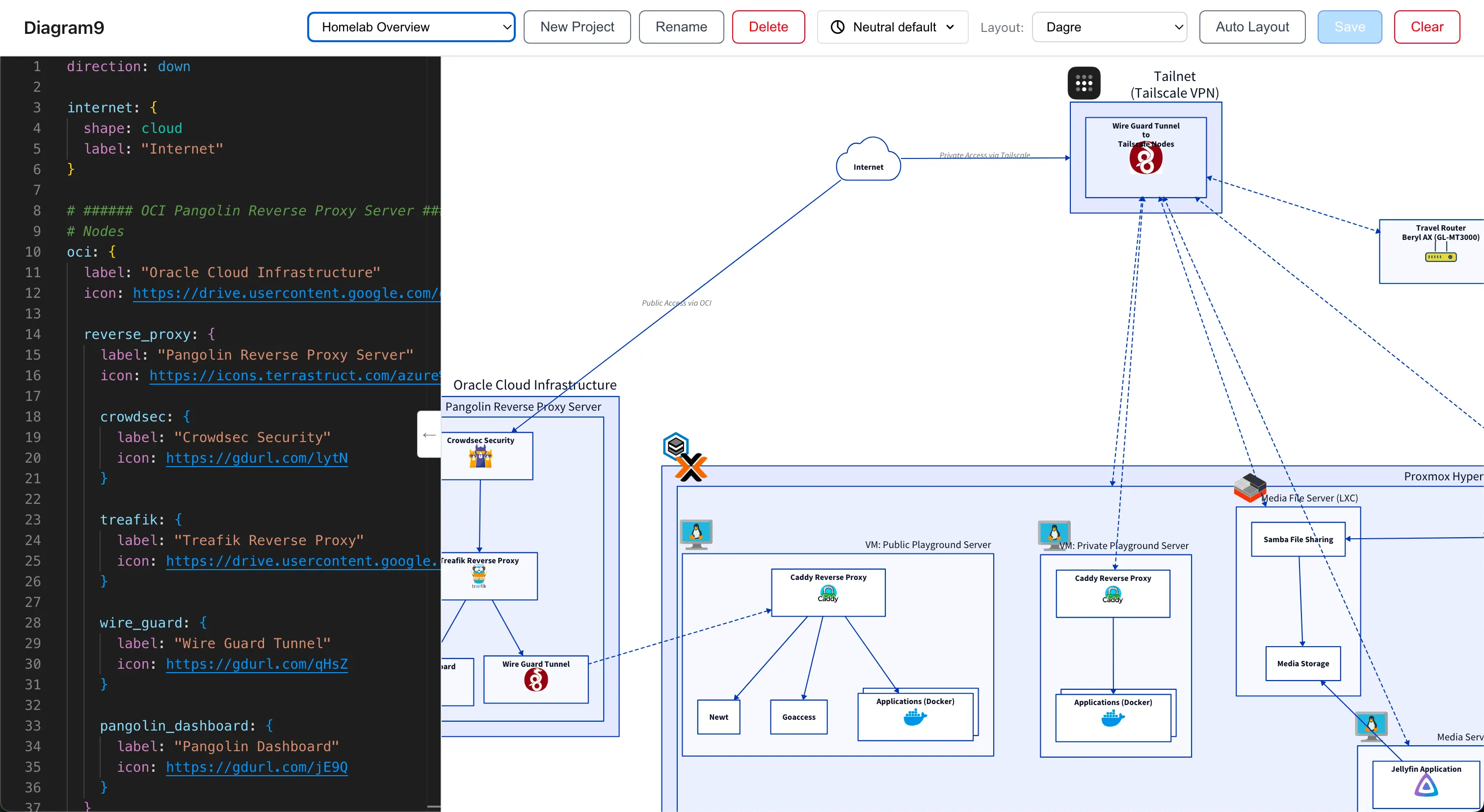
| Create New Diagram / Save Diagram | Arrows Track Connecting Nodes |
| Boundary Tracks Children Nodes | Children Nodes Move with Parent Node |
| Themes | Code Editor Collapse / Expand |
Tech Stack
| Technology | Category | Description |
|---|---|---|
| React | Frontend | UI library for the interactive editor and split-view interface. |
| Vite | Build Tool | Fast build tool and dev server. |
| Vitest | Testing | Fast testing framework for unit and integration testing. |
| Hono | Backend | Lightweight web framework running on Node.js to handle D2 rendering and persistence. |
| D2 | Diagram Language | Open Source Diagram as Code Language used to define the structure of the diagram. |
| D2 CLI | Diagram Engine | The core diagramming engine used to parse code and generate the initial SVG. |
| Monaco Editor | Editor | The VS Code editor component for a rich code editing experience. |
| Better-SQLite3 | Database | Local file-based database for storing projects and diagram states. |
Architecture
The core challenge was synchronizing the declarative D2 code with manual overrides. The system uses a split-state architecture where the “Structure” is owned by the server-side D2 engine, and the “Layout” is a shared responsibility between D2’s auto-layout and the user’s manual overrides.
The Hybrid Rendering Pipeline
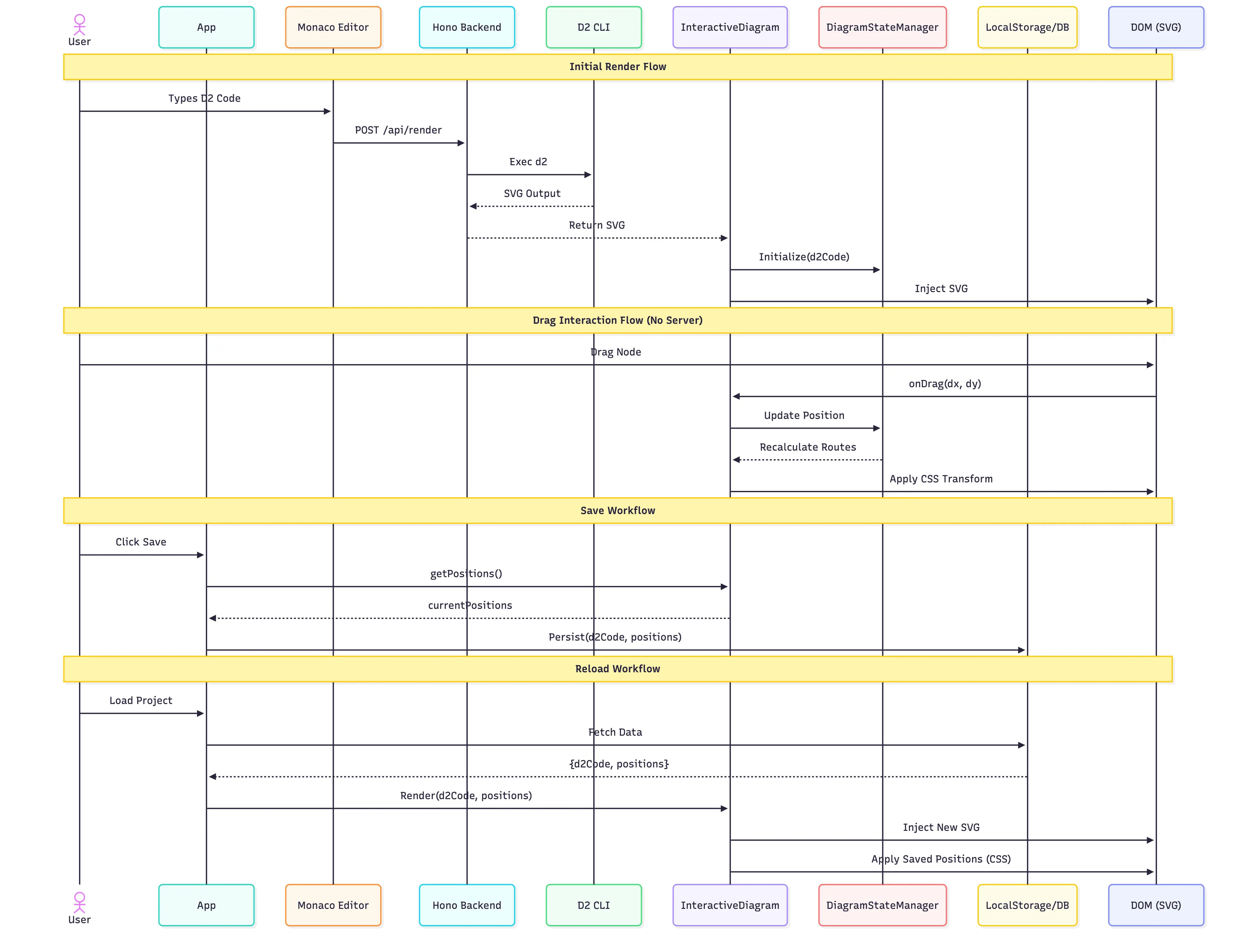
- Code Input: The user types D2 code in the Monaco Editor.
- Server-Side Rendering: The code is sent to the Hono backend, which spawns a d2 CLI process to render the SVG.
- SVG Injection: The resulting SVG is returned to the frontend and injected into the DOM.
- Manual Overrides: The frontend applies a layer of CSS transforms to the SVG elements based on stored “manual positions”.
The following sequence diagram illustrates the complete lifecycle: Initial Render, Real-time Drag Updates, and Persistence (Save/Reload):
Deep Dive: Technical Implementation
1. Smart Container Resizing
One of the hardest problems in diagramming is handling nested containers. In D2, if you move a child node, the parent container should resize to fit it. However, since we are manually overriding positions via CSS transforms, the D2 engine doesn’t know about these changes.
To solve this, I implemented a ContainerManager that recalculates container bounds in real-time. It uses a bottom-up propagation algorithm:
- Find all “leaf” nodes and their current visual positions.
- Group containers by depth.
- Iterate from the deepest level up to the root.
- For each container, calculate the bounding box of its children (which might be other containers).
- Apply padding and update the container’s SVG
rect.
/**
 * Propagate child container bounds up to parent containers
 */
private propagateContainerBounds(
  containerVisualBounds: Map<string, Bounds>,
  containers: Set<string>
): void {
  // Group containers by depth level
  const containerLevels = new Map<number, string[]>();
  // ... (grouping logic)

  // Sort levels in descending order (process deepest first)
  const levels = Array.from(containerLevels.keys()).sort((a, b) => b - a);

  // Process each level, propagating bounds upward
  // TODO: don't use for loop, use each or something appropriate
  for (const level of levels) {
    const containersAtLevel = containerLevels.get(level)!;
    for (const containerId of containersAtLevel) {
      // ... calculate child bounds ...

      // Update parent bounds
      if (!containerVisualBounds.has(parentId)) {
        containerVisualBounds.set(parentId, newBounds);
      } else {
        // Expand parent to include this child
        const parentBounds = containerVisualBounds.get(parentId)!;
        parentBounds.minX = Math.min(parentBounds.minX, fullMinX);
        // ...
      }
    }
  }
}src/lib/ContainerManager.tssrc/lib/ContainerManager.ts
2. Direct SVG Manipulation
A major decision was to not build a custom renderer. In v2, I attempted to write a custom D2 parser (d2Parser.ts) and renderer in TypeScript. It grew to over 800 lines of complex parsing logic just to support basic shapes and connections, and still lacked support for advanced D2 features like containers, SQL syntax, and sketches. Replicating the full D2 engine in React proved to be a massive undertaking and prone to visual inconsistencies.
Instead, we use D2’s native SVG output as the source of truth for visuals. To add interactivity (dragging), we apply CSS transforms directly to the SVG groups (<g>) identified by their D2 shape IDs. This allows us to have:
- 100% Visual Fidelity: The diagram looks exactly as D2 intends.
- Zero-Cost Interactivity: We don’t need to re-render the SVG or re-run the D2 engine during drag operations.
The DiagramStateManager maintains a map of originalPositions (from the initial D2 render) and calculates deltas. These deltas are applied directly to the DOM elements using CSS transforms.
// Only update leaf nodes - containers will be recalculated from their children
Object.entries(savedPositions).forEach(([shapeId, savedPos]) => {
  const shapeGroup = svgElement.querySelector(`g.${CSS.escape(shapeId)}`);

  if (shapeGroup) {
    // Apply CSS translate to move the shape
    // This overrides the D2-calculated position without changing the D2 code
    const dx = savedPos.x - currentX;
    const dy = savedPos.y - currentY;
    (shapeGroup as HTMLElement).style.translate = `${dx}px ${dy}px`;
  }
});src/lib/DiagramStateManager.tssrc/lib/DiagramStateManager.ts
3. Handling Race Conditions
A common issue in “Code + Visual” tools is the race condition between the user typing (triggering a slow server render) and the user dragging (triggering a fast local update).
If a slow server render finishes after the user has started dragging, it could reset the view and cause the node to “jump” back. To prevent this, the InteractiveDiagram component tracks a compilationVersionRef.
// Increment version to invalidate any in-flight compilations
compilationVersionRef.current += 1;
const thisVersion = compilationVersionRef.current;

// ... async compile ...

// Check if this compilation is still valid
if (compilationVersionRef.current !== thisVersion) {
  console.log("[COMPILE CANCELLED] Version", thisVersion, "superseded");
  return;
}src/components/InteractiveDiagram.tsxsrc/components/InteractiveDiagram.tsx